LifeCycle®
LifeCycle
®
User Manual
5. Getting Started
Before using LifeCycle, gather the basic information needed to build a monthly budget. This may include income sources, recurring bills, expected spending categories, debt payment amounts, payoff dates, and any growth or cost-of-living assumptions you want the app to use for future projections.
You should first create an Account or two. See
Account Creation. Accounts are entities that pay other bills, like checking accounts; or they can be savings accounts or investment accounts. Do not put your bills in an Account record. Do not put income soureces into Account records. So to get this started, go and create a checking account.
The next step will be to create an Income source or two. See Income Creation. Income is where money comes from that will fill up any Account that you created. Since you created a checking account, choose an income source that pays you into your checking Account. The source of your income is likely going to be "External Source" -- it could be your job; if you're self employed it is the many people who pay you. There is one exception, and that is if you receive Social Security, then you should source it from "Social Security."
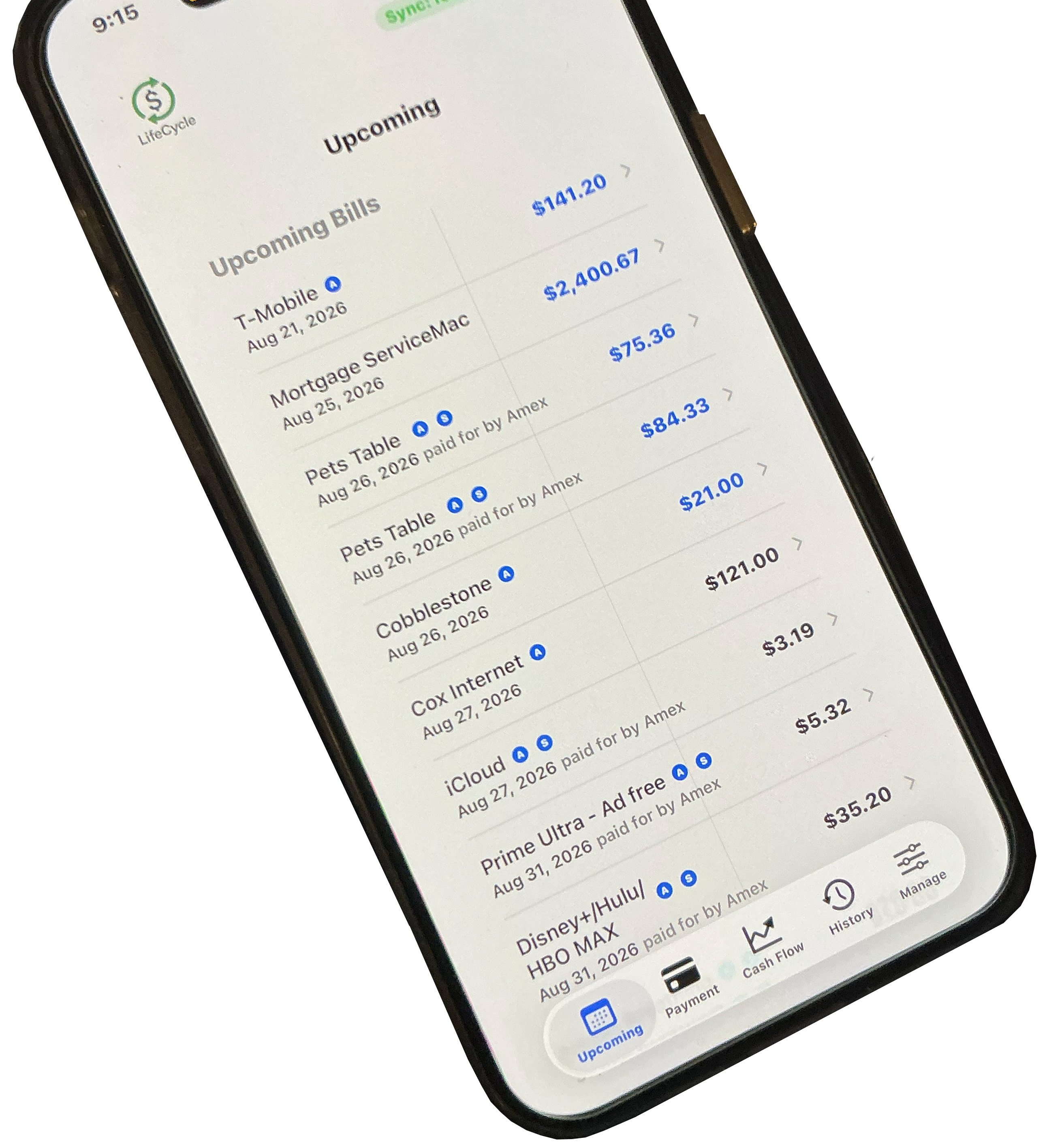
And the next step would be to create a bill or two or twenty. See Bill Creation. Bills are what you owe. They can be paid from two source types: and account, or another bill that is marked to be "Is Credit Card."
Don’t worry if you forget a bill or an income at first. You can always add more later, or delete those that don’t apply. The granularity that you want to track is up to you. For instance, if you pay certain subscriptions, let's say Netflix, or other items with a credit card, you may simply want to track the credit card and what you pay it at the end of the month. If you do this, then as you pay things with the credit card you will have to open that bill and update the balance when you spend on that credit card.
On the other hand, you may want to create a bill for each item that will be paid for with the credit card. So you would create a Netflix bill, give it a Budget and Balance (for something like Netflix where the cost doesn't change, fill both with the same number and mark Recurring to 'Yes'). You would make the Payer either your checking Account or the bill that is your credit card. In this way you pay each individual item when they are charged to the card. The app will mark the item paid and will increase your card balance (or debit your bank account as paid); if it's a monthly bill, it will push the bill out to the next PayDate.
You may also have intermittent spending on that credit card. Perhaps you go to McDonald's occasionally and pay with this credit card. You do not want to create a McDonald's Account or Bill. There is a way in the app to make a purchase and charge it to the credit card of your choice.
Please understand that the information is under your control, and is not linked to any bank or card institution. So you will need to enter and edit the values in the app by hand at certain points in time if you are not using item by item granularity. We’ll talk more about this in the Bills section.