LifeCycle®
LifeCycle
®
User Manual
6.1 Upcoming (main screen)
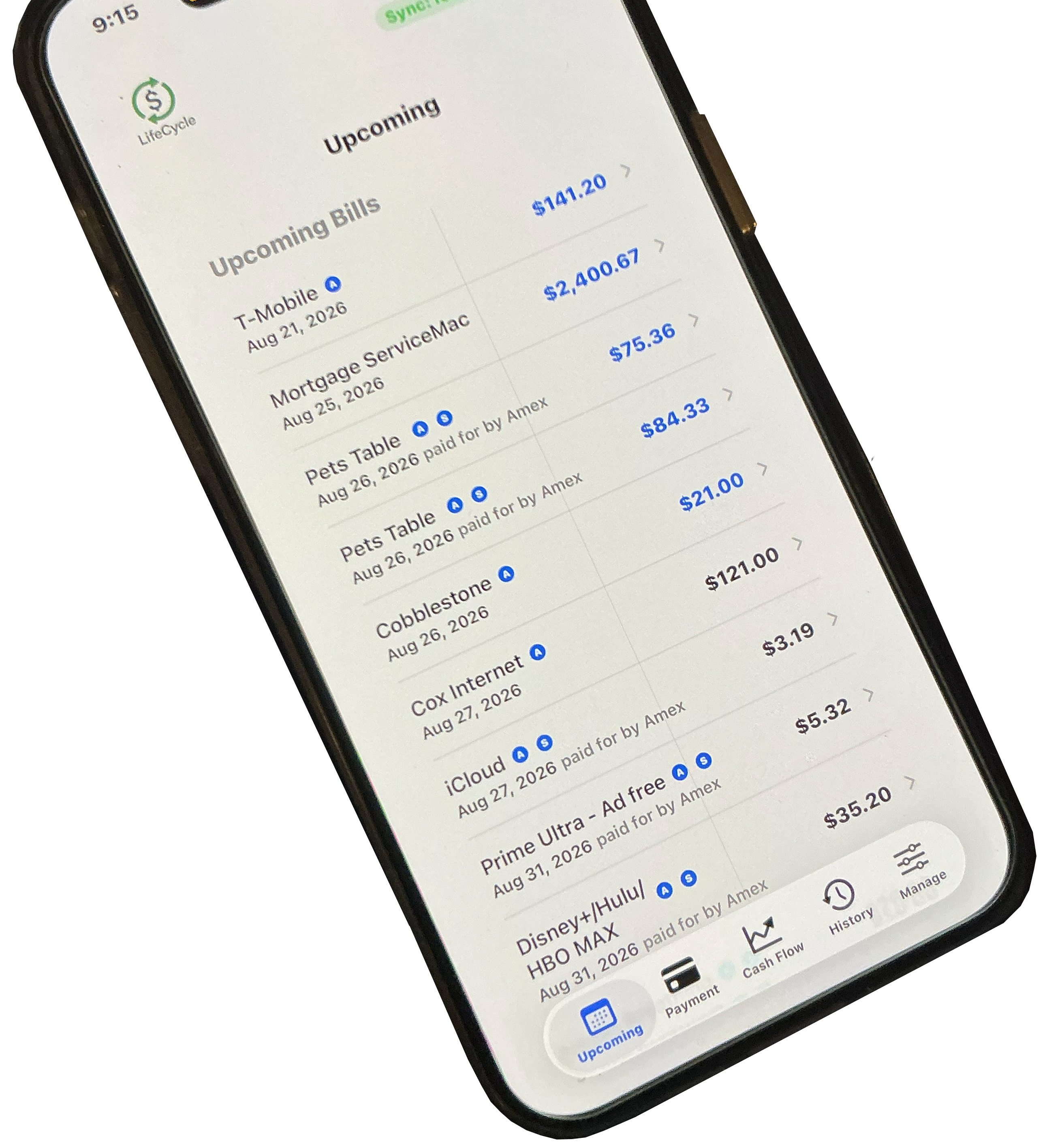
The 'Upcoming' screen provides a current overview of the user’s financial position for the next month. It is intended to be the first-place users 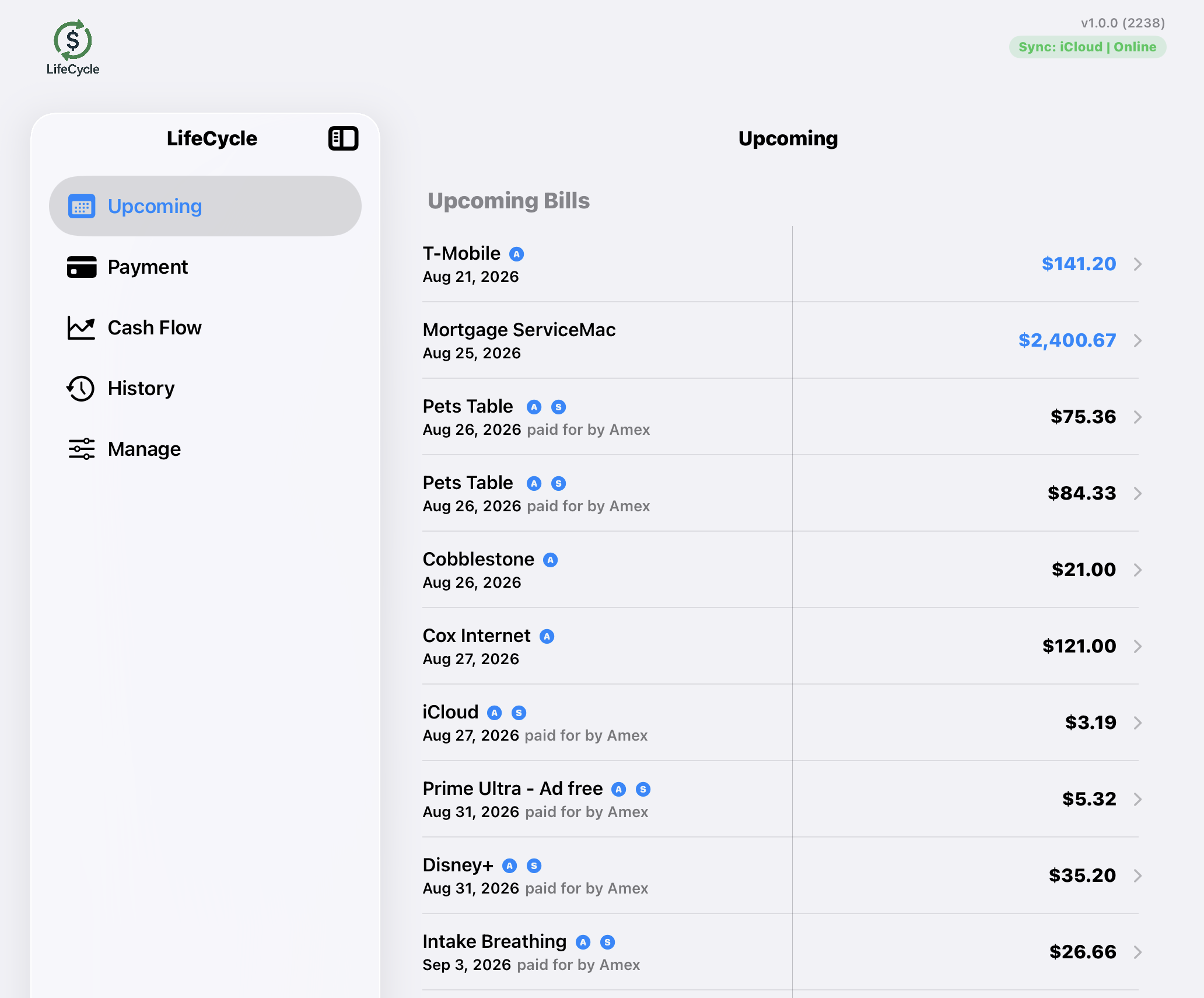 look when they want to quickly understand upcoming bills, expected income, and current account balances.
- Shows all bills coming due in the next month.
- Shows all income expected in the next month.
- Shows all accounts and their balances.
You can scroll the view up and down. Bills show first, then income, then accounts.
This next week
The bill values (and income values) due in the next week will show in blue. This allows you to quickly see what is coming up in the immediate future. You can see in the image T-Mobile’s value is blue, so it is due within this next week. You can also see that the payment for tCobblestone is black. It is upcoming within the month, but not within the next week.
If the bill is late in being paid (i.e.: the date is in the past), the name of the bill and its due date will turn red; the value will remain blue.
If we take a look at how this shows on the iPhone we will see that the left panel is not present (it doesn’t fit on the smaller screen). You will notice in the image that the totals that are in the bottom left of the iPad are shown inline under each section on the iPhone. Thus, Bills totals are under the Bills, income totals under the income, etc.
Tags
The small blue circled "A" next to the name indicates that you marked this bill as "Auto Pay." This is a bill that will automatically charge a card or pull from your account. You don't physically have to pay it. This is only an indicator, as this app does not pay bills.
The small blue circled "S" next to the name indicates that you marked this bill as a "Subscription." It is a recurring bill each month in your discretionary bills.